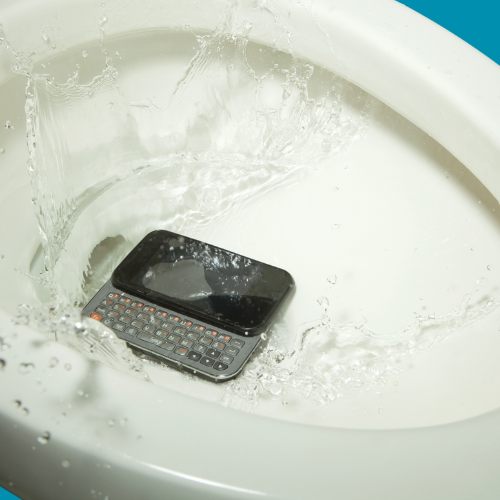
Few things cause instant panic like watching your phone disappear into water. Whether it slipped into a sink, toilet, pool, or survived a surprise rainstorm, that sinking feeling is very real.
And then comes the chaos:
- “Put it in rice!”
- “Blow dry it!”
- “Turn it on and check!”
- “Shake it harder!”
Unfortunately, some of the most common advice can actually make water damage worse.
Here’s what you should really do if your phone takes an unexpected swim.
Step 1: Take It Out Immediately
The longer your phone stays underwater, the higher the chance water reaches important internal components.
Move fast:
- Remove the phone from water
- Dry the outside gently with a towel
- Keep it upright if possible
Every second matters.
Step 2: TURN IT OFF
This is the most important step.
If your phone is still on, power it off immediately. Water itself isn’t always what destroys a phone. Electricity moving through wet components is usually what causes serious damage.
Avoid:
- Unlocking the phone
- Testing buttons
- Plugging it into a charger
- “Checking if it still works”
That quick test can create a short circuit.
Step 3: Remove Accessories
Take off:
- Phone case
- SIM card tray
- Memory card
- Charging cables
- External accessories
This helps airflow and prevents trapped moisture.
Step 4: Do NOT Use Heat
Hairdryers, heaters, microwaves, dashboards in the sun… all terrible ideas 😅
Too much heat can:
- Damage internal components
- Warp adhesives
- Push water deeper into the device
Gentle airflow is fine. Extreme heat is not.
Step 5: Rice Is Not Magic
Rice became the internet’s favourite “repair technician,” but it’s not the miracle people think it is.
Rice may absorb some surface moisture, but:
- It doesn’t remove internal water properly
- Starch particles can enter charging ports
- Corrosion can continue inside the device
A professional internal clean is far more effective.
Step 6: Let It Dry Properly
Place the phone in:
- A dry area
- Cool airflow
- Upright position
Leave it untouched for several hours before attempting to power it on.
Patience here can save your device.
Step 7: Watch for Warning Signs
Even if your phone turns on later, water damage can continue developing over time.
Signs of hidden water damage:
- Fast battery drain
- Screen flickering
- Charging problems
- Distorted speakers
- Overheating
- Random shutdowns
Sometimes corrosion builds slowly over days or weeks.
When to Get Professional Help
If your phone:
- Won’t turn on
- Gets hot
- Won’t charge
- Has display issues
- Was submerged for a long time
…it’s best to have it inspected professionally as soon as possible.
The sooner water damage is cleaned internally, the better the chance of saving the device.
Final Thoughts
Water damage feels dramatic because your phone holds almost everything: photos, messages, work, banking, memories, and about 47 screenshots you forgot to delete 😄
The key is staying calm and avoiding panic decisions.
Power it off. Keep it dry. Don’t charge it. And if needed, let professionals handle the internal cleanup before corrosion turns a small problem into a major repair.